Return Home
Help
Firmware Installation Guide
Get Hashcore Toolkit
- 1
After installing Hashcore Toolkit, a desktop shortcut and instructions will appear. Read them carefully. On first launch, specify the network range where your miners are located.
- •Click the + New group button.
- •In the dialog, on the Ranges tab, enter: group name, description, and network range (e.g., 192.168.1.1 – 192.168.1.255).

- 2
Open the miner group you created:
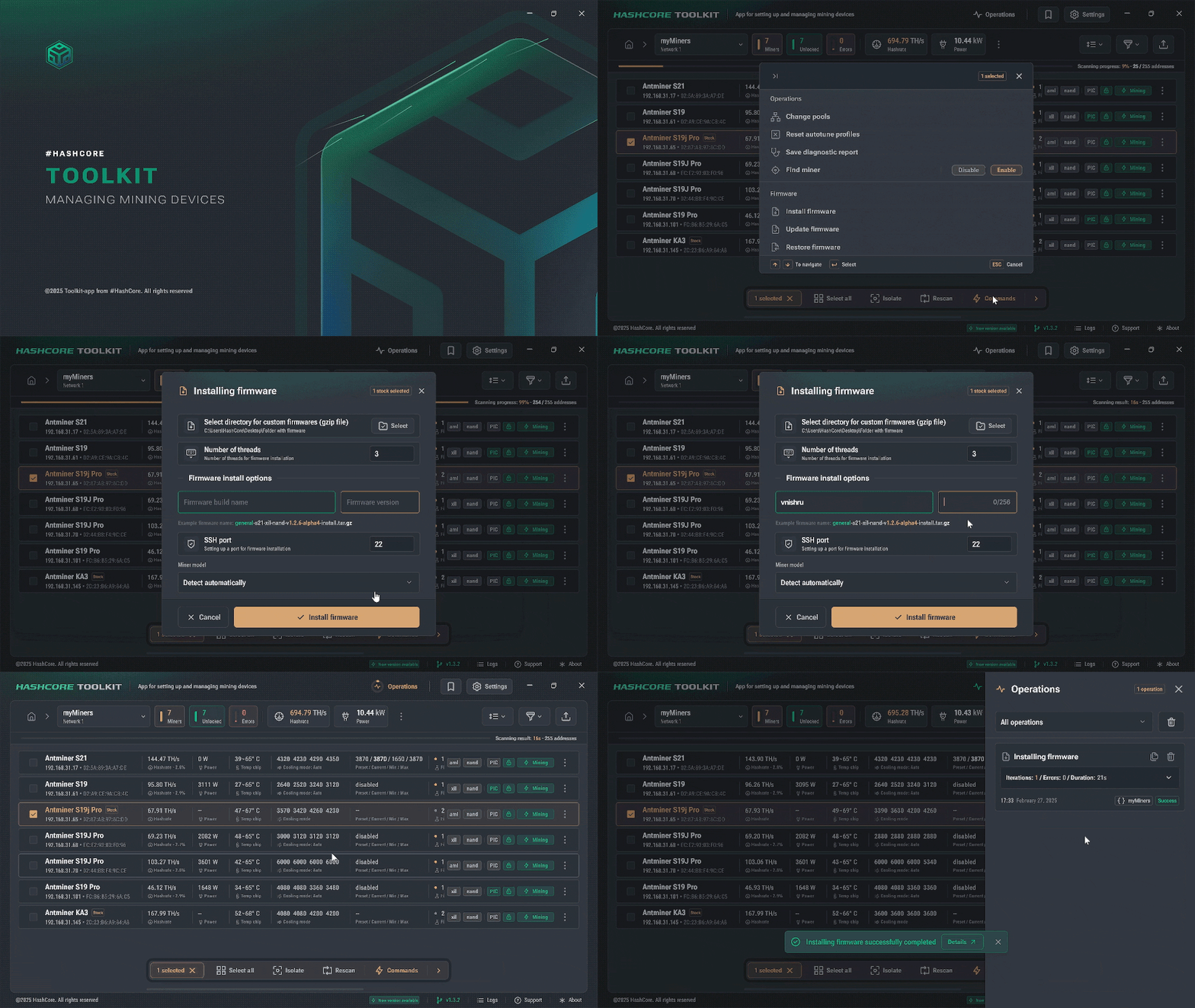
- •Select the miners for Vnish firmware installation and click Commands.
- •Choose Install firmware from the menu.
- •In the installation parameters menu, specify:
- •Path to the firmware files — select the folder where your firmware files are stored. The files won't be visible when you select the folder; this is normal. If you don't have the firmware files yet, download the one for your miner with the Download firmware file button below.
- Firmware Build Name
vnish- Firmware version
1.3.6or newer
- 3
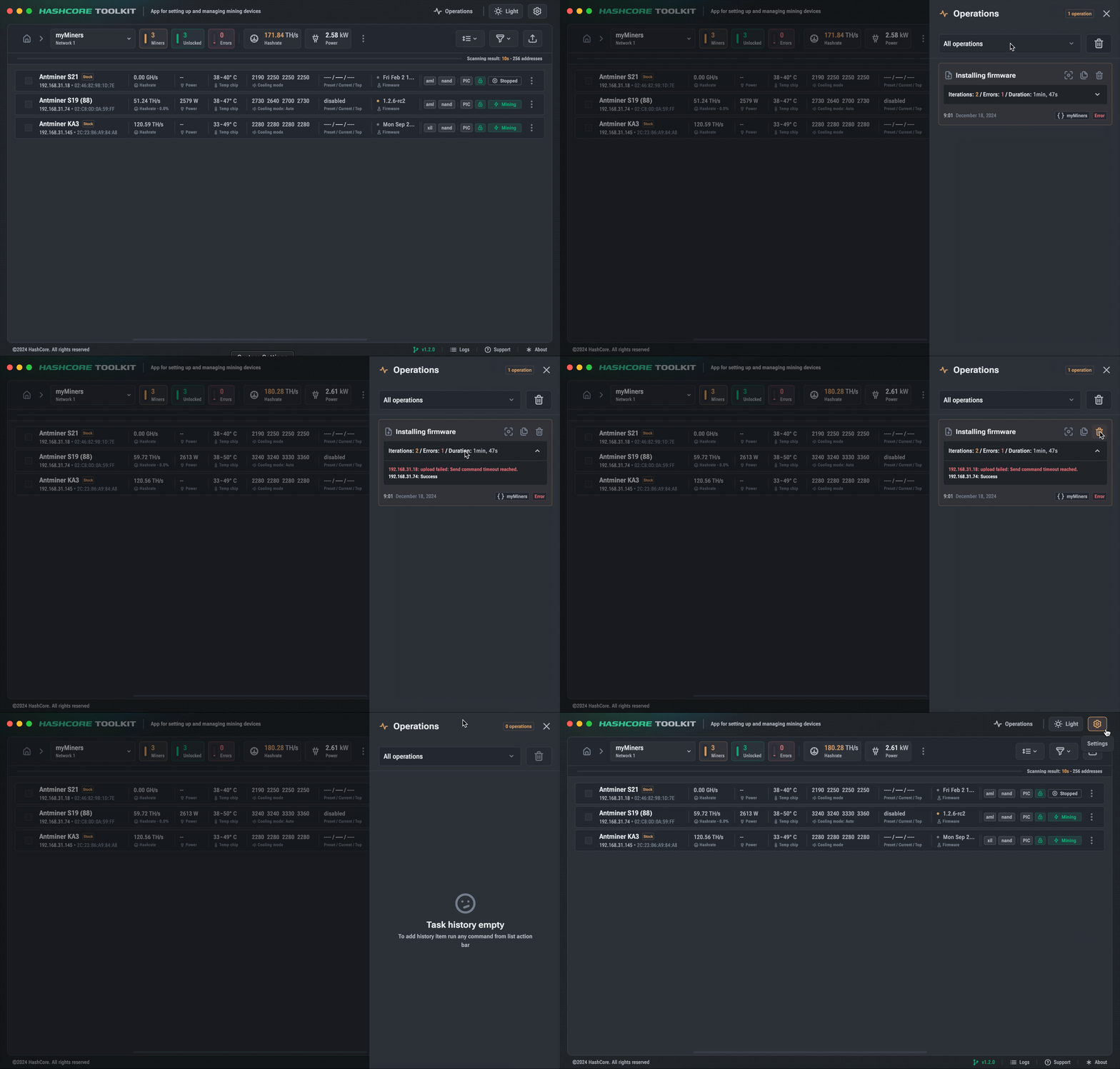
Monitor progress in the Operations section. Any errors will display explanations.
We value long-term partnerships with our users, which is why reliability and quality are our top priorities. Questions? Contact our support team.
Telegram Support